

Latest Version
Tomas Krupka
Design
Linux
Free
cz.krupkat.Xpano
Report a Problem
More About Xpano
The Challenge of Creating the Perfect Panorama
You have just returned from a scenic hike or a walk through an architectural marvel, and you have captured a series of beautiful, overlapping photos. Unfortunately, viewing them as individual files fails to capture the grand scale of the landscape. Manual alignment in complex graphic design suites can be incredibly tedious. This is where Xpano panorama stitching comes in to streamline your creative workflow on Linux desktops.
Developed by Tomas Krupka, Xpano is a dedicated design application built to take the frustration out of combining individual images into a single, cohesive panoramic photograph. By focusing strictly on ease of use, it bridges the gap between professional-grade projection tools and quick, automated software.
How Xpano Panorama Stitching Simplifies Your Workflow
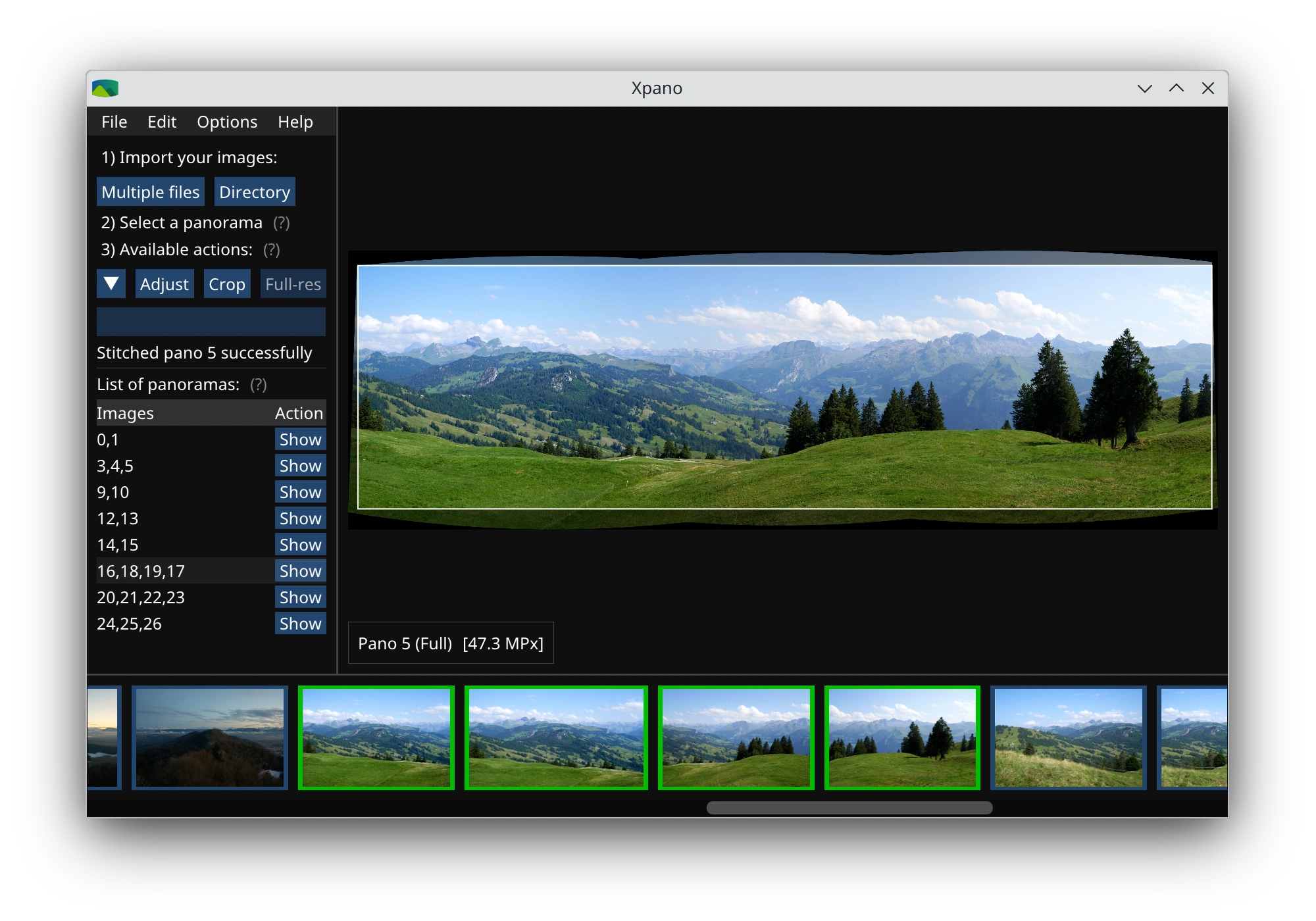
Instead of forcing users to manually map control points, this utility automates the heaviest parts of the processing pipeline. Below are the core capabilities that make it a standout choice for Linux photographers:
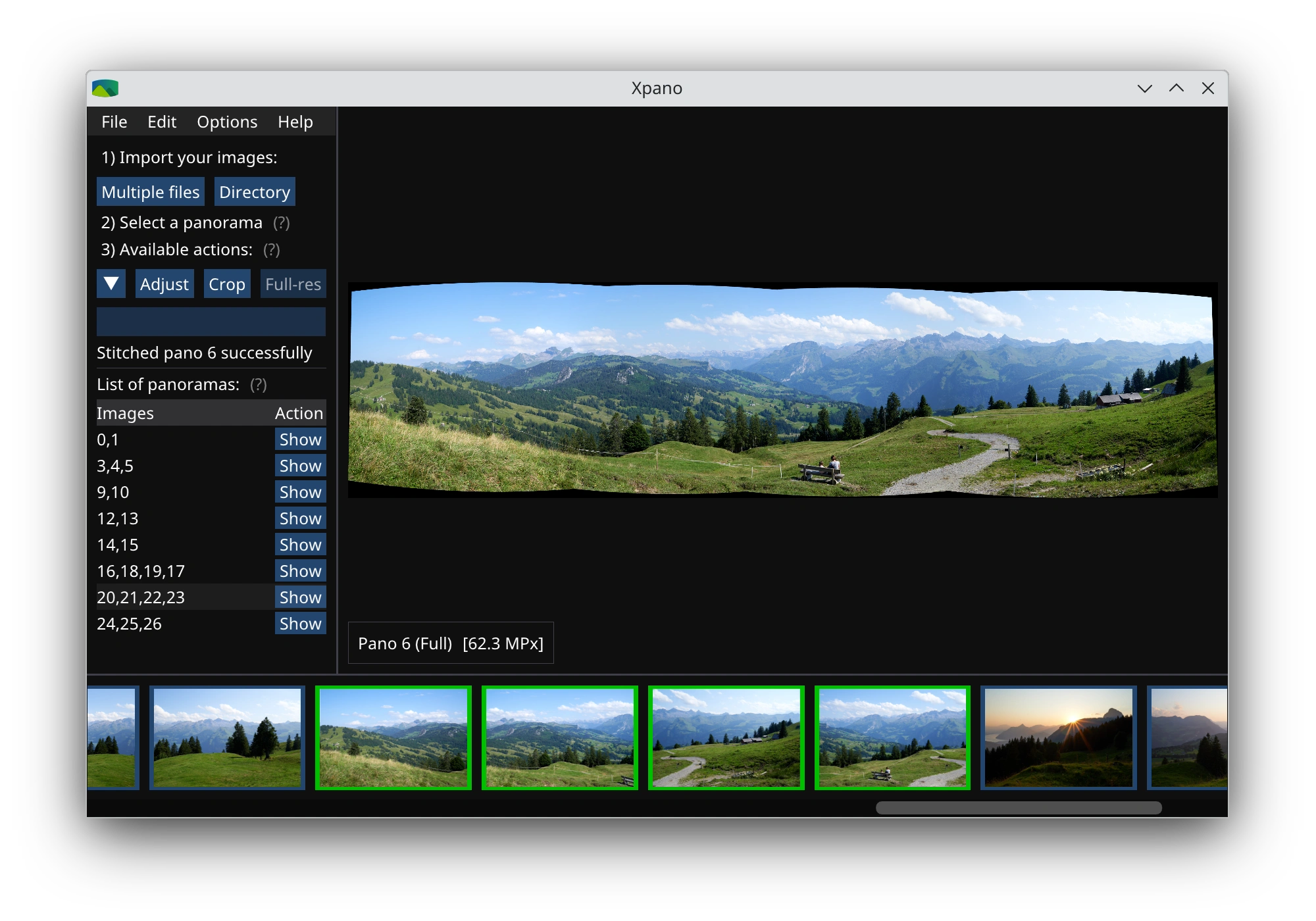
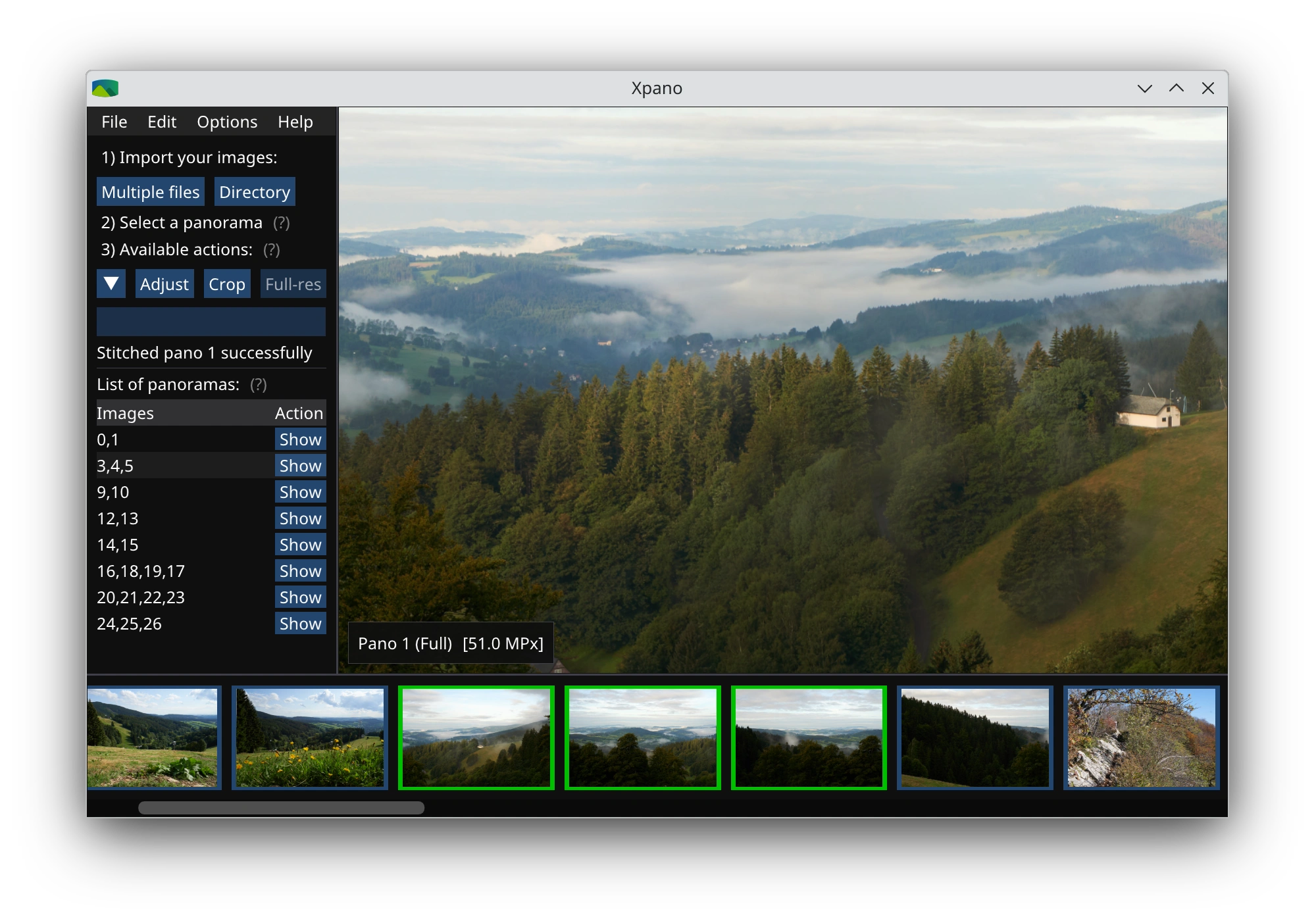
- Automated Group Detection: The software intelligently scans your imported files to auto-detect groups of images that can be successfully stitched together.
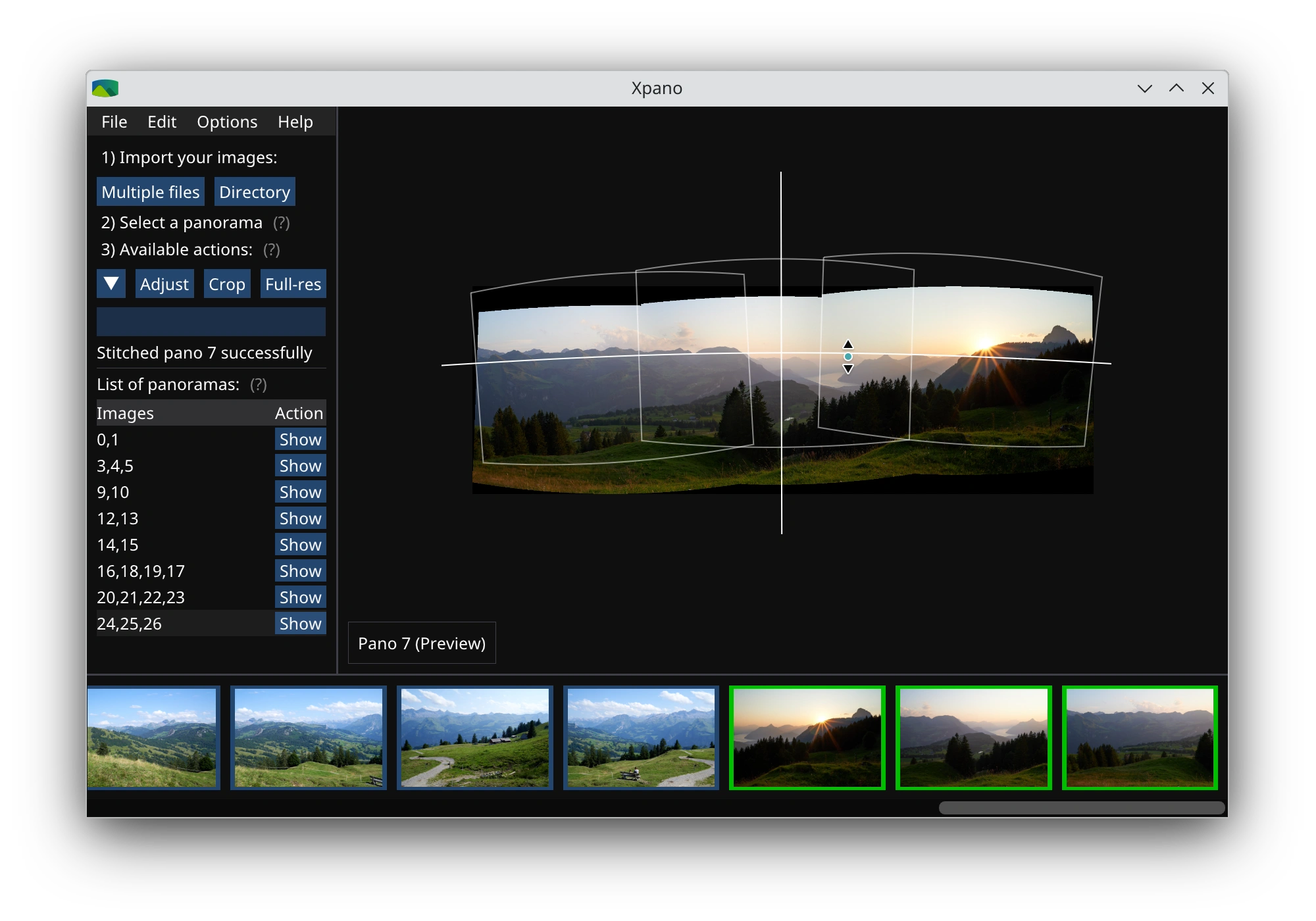
- Interactive Previews: Before committing to a final export, you can instantly preview the stitched results with smooth zoom and pan controls.
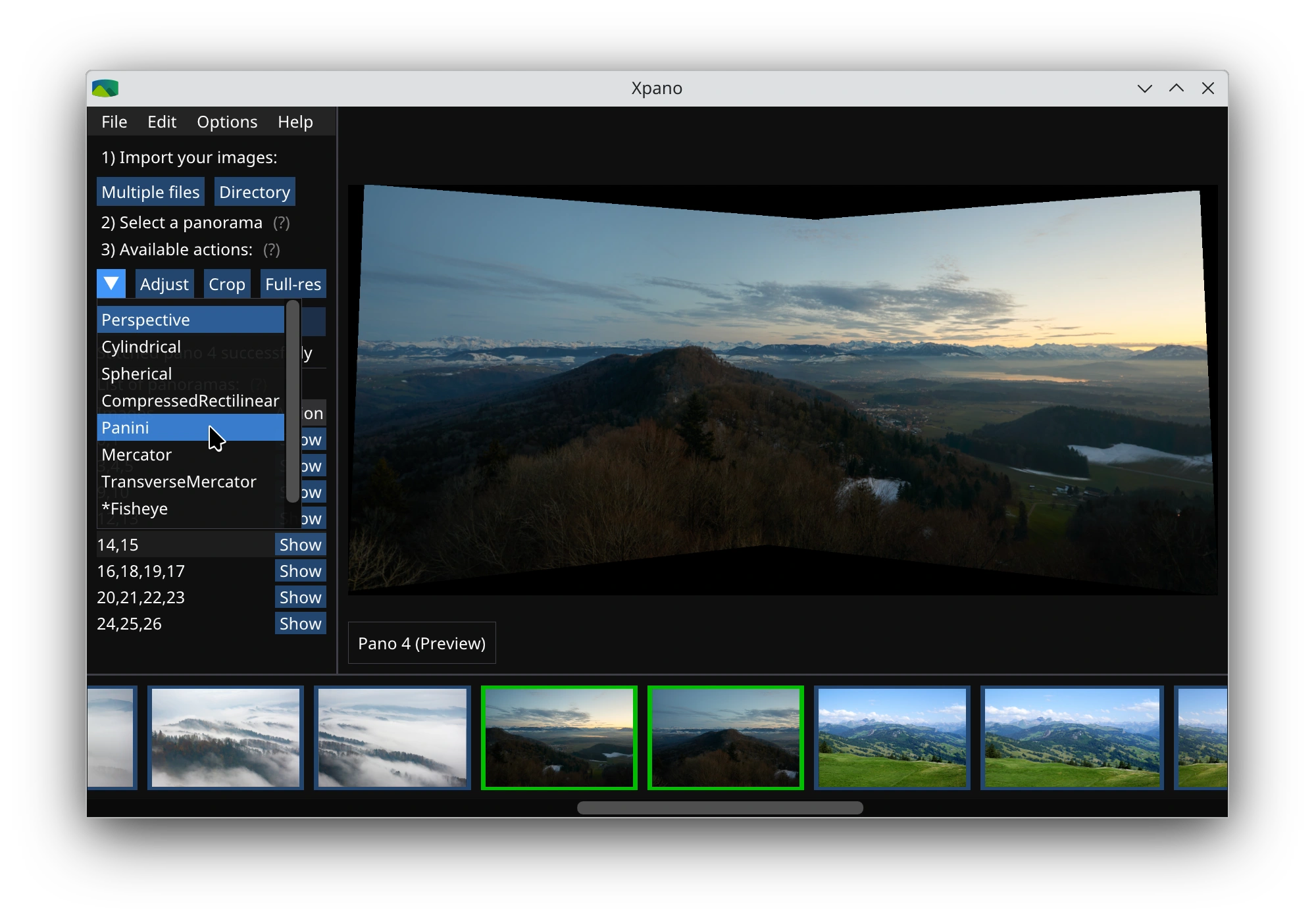
- Flexible Projection Types: Choose from multiple projection styles to match the perspective of your scene, whether you need a flat, cylindrical, or spherical look.
- Fine-Tuned Adjustments: Take complete control over the orientation of your final image by adjusting projection parameters including pitch, yaw, and roll.
- Boundary Management: Crop your final image or use the auto-fill boundary feature to handle uneven edges seamlessly.
- Full-Resolution Metadata Export: Save your completed panorama at maximum resolution while preserving critical EXIF metadata.
Who Is This Design Tool For?
Xpano is ideal for Linux enthusiasts, hobbyist photographers, and digital designers who want high-quality panoramic merges without the steep learning curve of advanced command-line utilities or cluttered editing suites. Its clean interface makes it accessible to beginners, while the granular pitch and yaw adjustments provide enough control to satisfy more demanding users who want to correct perspective distortion manually.
Is Xpano Worth Your Time?
If you regularly capture wide landscapes or urban horizons on the Linux platform, Xpano offers a highly focused, lightweight solution. By eliminating complex configuration menus and prioritizing a fast, visual workflow, it lets you generate beautiful wide-angle composites in seconds. To try it out for yourself, head over to the official Flathub store page to explore its installation options on your Linux distribution.
Rate the App
User Reviews



Popular Apps










Editor's Choice